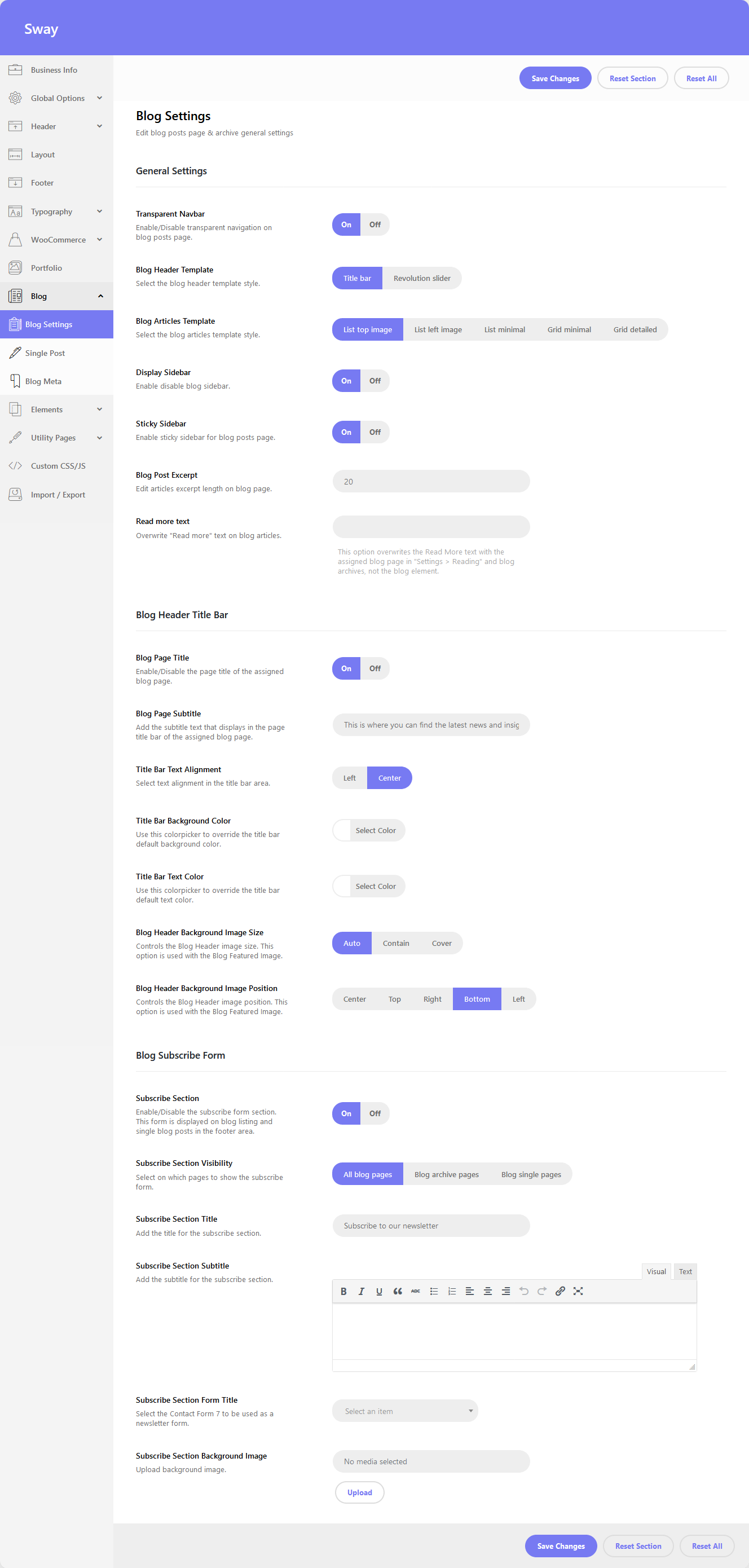
General Settings
- Transparent Navbar – if enabled, the navbar section will take a transparent background color. This option is linked with the header transparent navigation options.
- Blog Header Template – select the blog header template style.
- Title Bar – See an example of blog with title bar
- Revolution Slider – See an example of blog with slider
- Blog Articles Template – select the blog articles template style.
- Display Sidebar – option to enable/disable the blog sidebar.
- ON – See an example of blog with sidebar
- OFF – See an example of blog with no sidebar
- Sticky Sidebar – option to enable/disable the sticky sidebar for blog archive pages.
- Blog Post Excerpt – this option controls the excerpt length for your articles.
- Read more text – overwrite the “Read more” text on blog articles.
Blog Header Title Bar
- Blog Page Title – option to enable/disable showing the blog page title.
- Blog Page Subtitle – set the blog subtitle text.
- Title Bar Text Alignment – option to select text alignment in the blog title bar.
- Title Bar Background Color – select the background color used for the blog title bar section.
- Title Bar Text Color – select the blog page title color.
- Blog Header Background Image Size – controls the Blog Header image size. This option is used with the Blog Featured Image.
- Blog Header Background Image Position – controls the Blog Header image position. This option is used with the Blog Featured Image.
Blog Subscribe Form
- Subscribe Section – enable the subscribe form on blog pages
- Subscribe Section Visibility – select on which pages to show the subscribe form.
- Subscribe Section Title – add the title for the subscribe section.
- Subscribe Section Subtitle – add the subtitle for the subscribe section.
- Subscribe Section Form Title – select a Contact Form 7 form.
- Subscribe Section Background Image – upload a background image.