It’s really quite simple to add a new user in WordPress and this article will give you step-by-step instructions so you can do it yourself. Please check out the following steps:
- Go to your WordPress admin page and log in to your website.
- Now that you’re in the WordPress dashboard, click on Users in the left sidebar.
- Towards the top of the screen, click Add New.
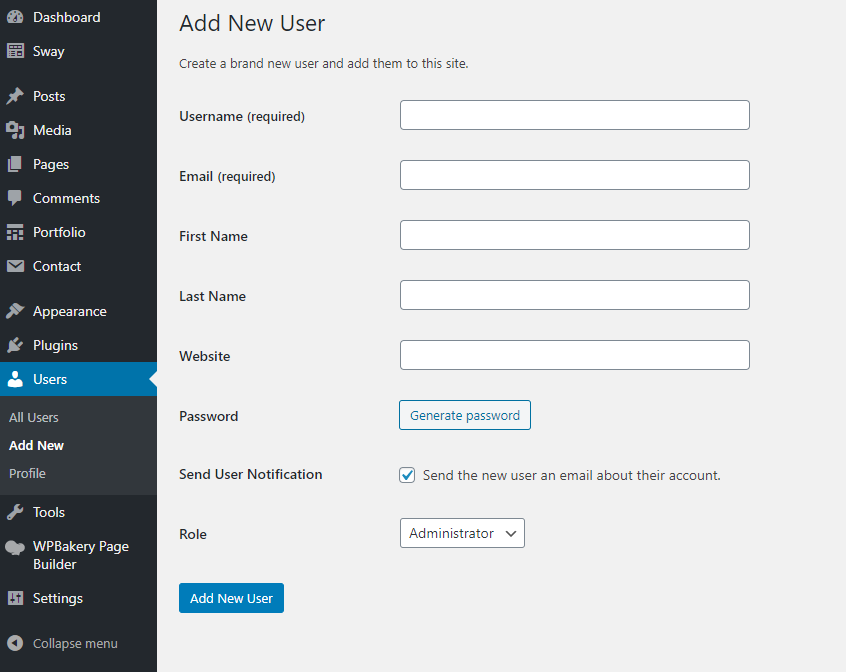
- Now you should be on the Add New User screen. Enter a username and email address for your new user. First name, last name, and website are optional.
- Enter a secure password for your new user. You can either use the one that WordPress randomly generates, or create your own.
- Change the role to Administrator.
- Click the Add New User button.
Important: After you’re done, write the username and password in a safe location and then log out with your current username and test the newly created account.